Page History
| Infowarning | ||
|---|---|---|
| ||
Once an Activity Session occurs the Session data will populate in the "Open" Activity Attendance list. |

| |
1. The Activity Attendance page will ONLY display those Activities that are linked to an Activity Category with the Attendance Type marked Scheduled. 2. If you create a session in your catalog that has already occurred it will not show up on the Activity Attendance page. The session needs to be created before the event occurs in order to record counts. |
| Tip | ||
|---|---|---|
| ||
To go directly to the Activity Attendance page click on this icon | ||
| Note | ||
| ||
The system will alert you to any "Open" records. The "Open" count displays in a badge above the tray icon, in the top right of your the screen.
By clicking the icon you are quickly transported to the Activity Attendance screen. |


...
Once an Activity session occurs the session data will populate in the Open tab of the Activity Attendance page.
Note: The appearance of the Activity will be based on the Time Zone linked to the Installation.
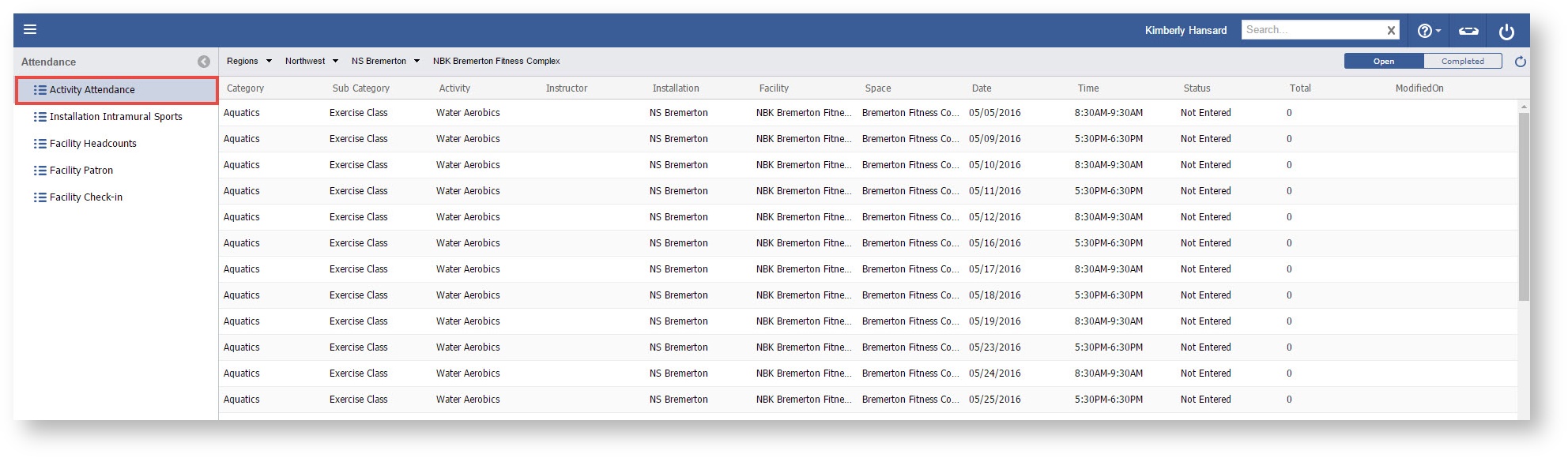
Step-by-step
...
- Select the Menu

- Select Attendance from the drop down

...
Related articles
Guide to complete an Activity Attendance record
- Open the work space selector by clicking on the three line menu icon in the upper left corner of the system.

- Select Attendance.

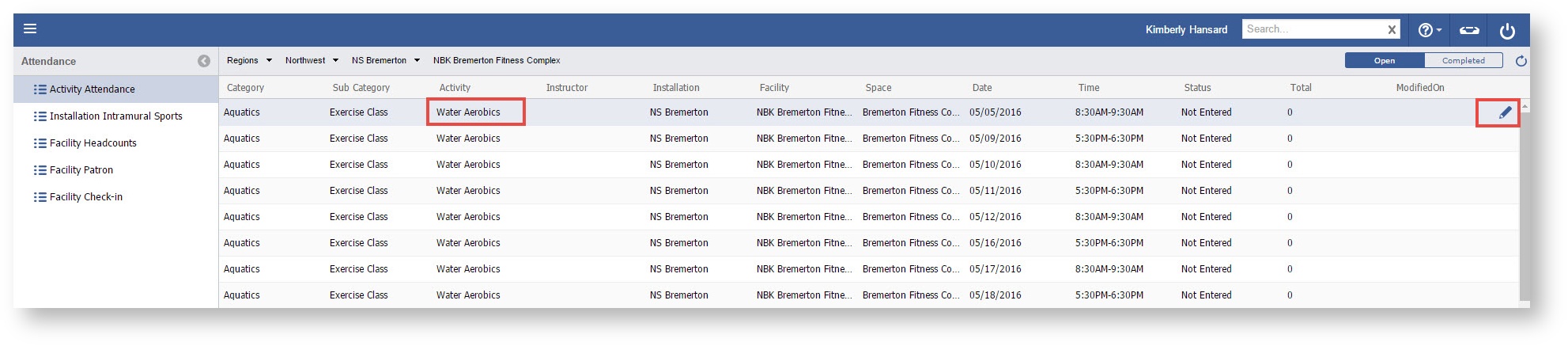
Double click an Activity or click the "Pencil" icon on the Activity you wish to enter in attendance.
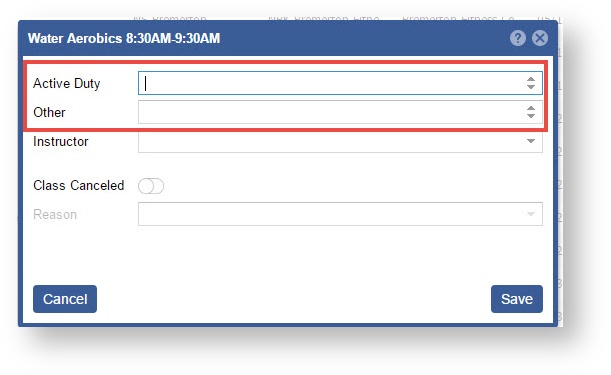
- Enter in the Active Duty and Other count values.
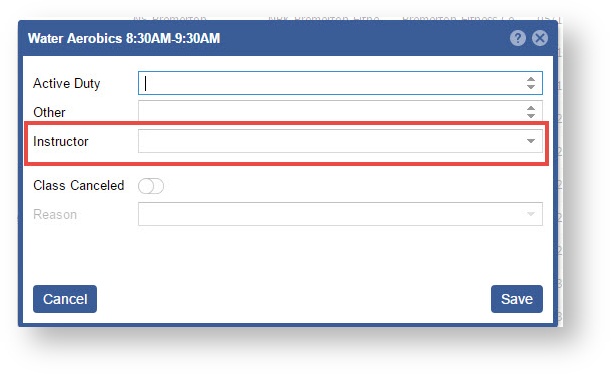
- Change the Instructor if needed. This field will default to the instructor linked on the session occurrence.
- If the class was cancelled then mark the toggle "ON" and select a reason.
Otherwise, click the "Save" button when complete.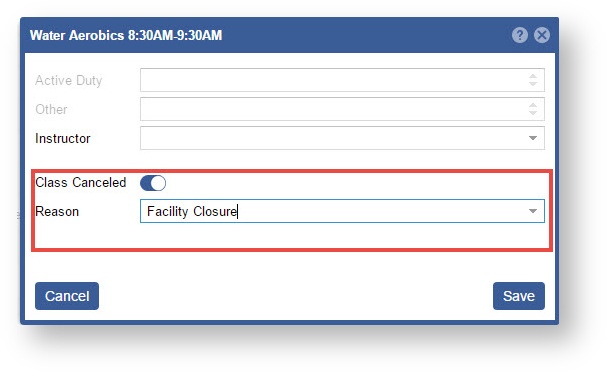
...