Page History
| Info | ||
|---|---|---|
| ||
Order Fulfillment> Add or Edit Order |
- Select the appropriate Order Fulfillment filter from the left navigation.

- Select the appropriate Type Filter from the Dropdown Menu.

- Select an item from the Branch Filter.

- Next, select an item from the Region Dropdown.

- Double click on an order to view the data.

- The order details display.
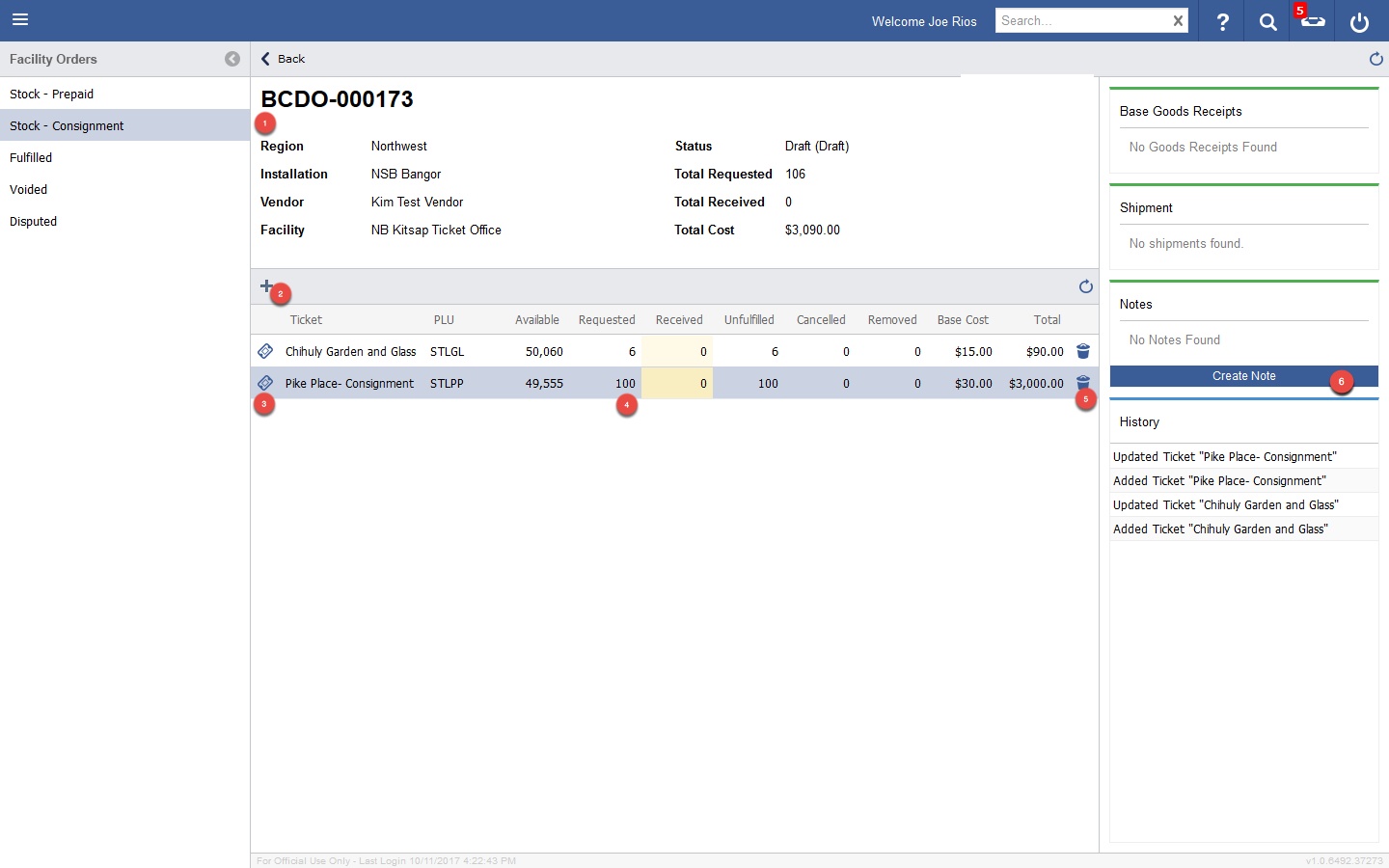

| Circle | Element | Description |
|---|---|---|
| 1 | Order Details | Displays Detail about the Order |
| 2 | Add Tickets | Add Tickets to the Order |
| 3 | Ticket Details | Opens a Popup Window with Ticket Details. |
| 4 | Requested Amount | Enter the amount Requested for the Ticket Line Item. |
| 5 | Delete | Delete a Ticket Line Item. |
| 6 | Create Note | Create a Note for historical purposes. |